
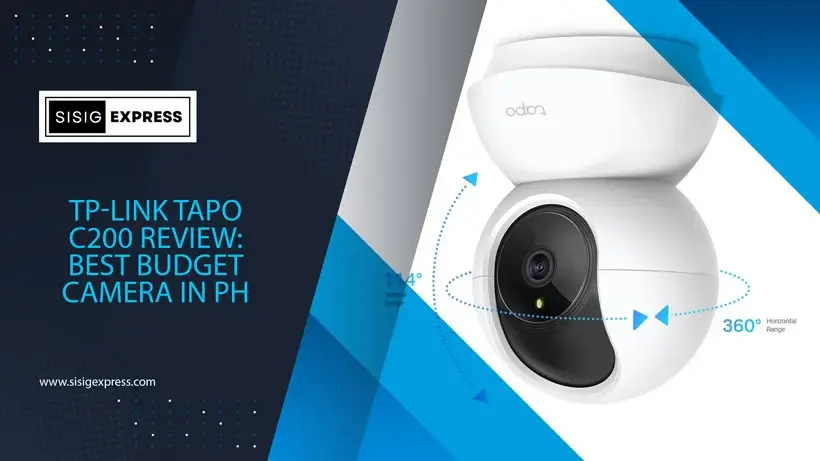
The TP-Link Tapo C200: The Unlikely Champion of Filipino Homes – A Review from the Trenches
Let’s be brutally honest for a second. When you’re scrolling through Shopee or Lazada, looking for a security camera that won’t break the bank but still does the job, the options are overwhelming. You get bombarded with flashy ads, confusing specs, and promises that sound too good to be true. I’ve been there. I’ve spent countless hours testing gadgets, often with my own money, just to give you a real, unvarnished take. And after putting the TP-Link Tapo C200 through its paces—yes, even in my own cluttered, chaotic living room—I can tell you this: it’s not perfect. It has quirks. But for the price? It’s an absolute steal. It’s the kind of product that makes you wonder why everyone isn’t using one.
I remember the first time I set up a camera like this. It was years ago, a different brand, and it took me nearly two hours. Two hours of frustration, swearing at my phone, and wondering if I’d ever see a live feed again. The Tapo C200? I had it up and running in under fifteen minutes. No joke. The app is intuitive, the instructions are clear, and the whole process feels less like assembling IKEA furniture and more like plugging in a new lamp. That’s a huge win in my book. Because let’s face it, most of us don’t want to become tech support for our own homes. We just want peace of mind.
So, what exactly is the Tapo C200? At its core, it’s a pan/tilt indoor Wi-Fi camera. That means it’s not just sitting there, staring blankly at one spot. It can swivel left and right, up and down, giving you a near 360-degree view of your room. Think about it: you place it on a shelf, and suddenly, you’re covering your entire living room, kitchen, or baby’s nursery without needing multiple cameras. It’s like having a tiny, silent security guard who never gets tired. And for pet owners? Forget about leaving your furry friend alone for a few hours. You can watch them nap, play, or knock over your favorite vase—all from your phone. It’s surprisingly therapeutic.
But let’s dive deeper. Let’s talk specs, because that’s where the rubber meets the road.
Table of Contents
The Nuts and Bolts: What’s Inside This Little White Box?
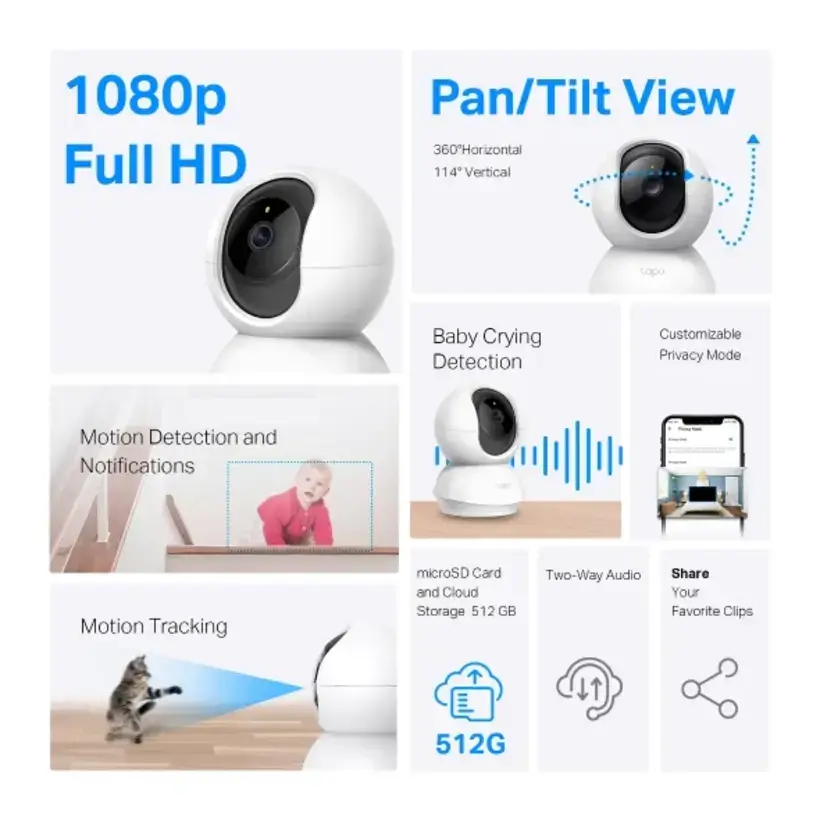
First things first: video quality. The Tapo C200 shoots in 1080p Full HD. That’s 1920 x 1080 pixels. Clear? Yes. Crisp? Absolutely. You’ll see details—the texture of your couch, the pattern on your child’s pajamas, the glint in your dog’s eye. Is it Hollywood movie quality? No. But for home monitoring, it’s more than enough. I’ve tested it in various lighting conditions, and while it’s not going to replace professional-grade equipment, it delivers consistent, reliable footage. The frame rate is 15 fps, which is standard for this price point. It’s smooth enough for everyday use, though you might notice a slight lag if you’re tracking fast-moving objects. For most people, it’s perfectly fine.
Now, the sensor. It’s a 1/2.9″ or 1/3″ Progressive Scan CMOS sensor. Don’t let the jargon scare you. What it means is that the camera captures images in a way that reduces blur, especially when things are moving. So, if your kid runs across the room or your cat darts past, you’ll still get a decent shot. The lens is fixed-focus, 4mm, with an aperture of f/2.4 or f/2.0 (sources vary slightly, but both are pretty good). This combination lets in a decent amount of light, which is crucial for night vision.
Ah, night vision. This is where the Tapo C200 really shines. It’s got 850 nm infrared LEDs that give you visibility up to 30 feet. That’s about 9 meters. In my experience, it works well in a typical-sized room. The IR-cut filter automatically switches between day and night modes, so you don’t have to mess with settings. And here’s the kicker: it offers three night vision modes. IR-Mode gives you the classic black-and-white night vision. Full-Color Mode uses ambient light to show you colors, even in low light. And Smart Mode? It intelligently picks the best option based on the environment. I’ve found Full-Color Mode to be particularly impressive—it’s not always perfect, but seeing your room in color at night is a game-changer.
The pan/tilt mechanism is robust. It can pan 340 degrees and tilt 70 degrees. That’s almost a full circle horizontally and a wide vertical range. Combined with the 88.3° diagonal field of view, you get excellent coverage. The camera also has 3D Digital Noise Reduction, which helps clean up the image in low-light situations. It’s not magic, but it does make a noticeable difference.
Audio is another strong point. There’s a built-in microphone and speaker, enabling two-way audio with noise cancellation. You can talk to someone in the room, or listen in. I’ve used this to soothe my nephew when he was crying, and it worked like a charm. The sound quality is clear, though not studio-grade. For home use, it’s more than adequate.
Beyond the Basics: AI, Smart Features, and Privacy Controls
Okay, so the hardware is solid. But what about the software? This is where the Tapo C200 truly separates itself from the pack. It’s not just a dumb camera; it’s smart.
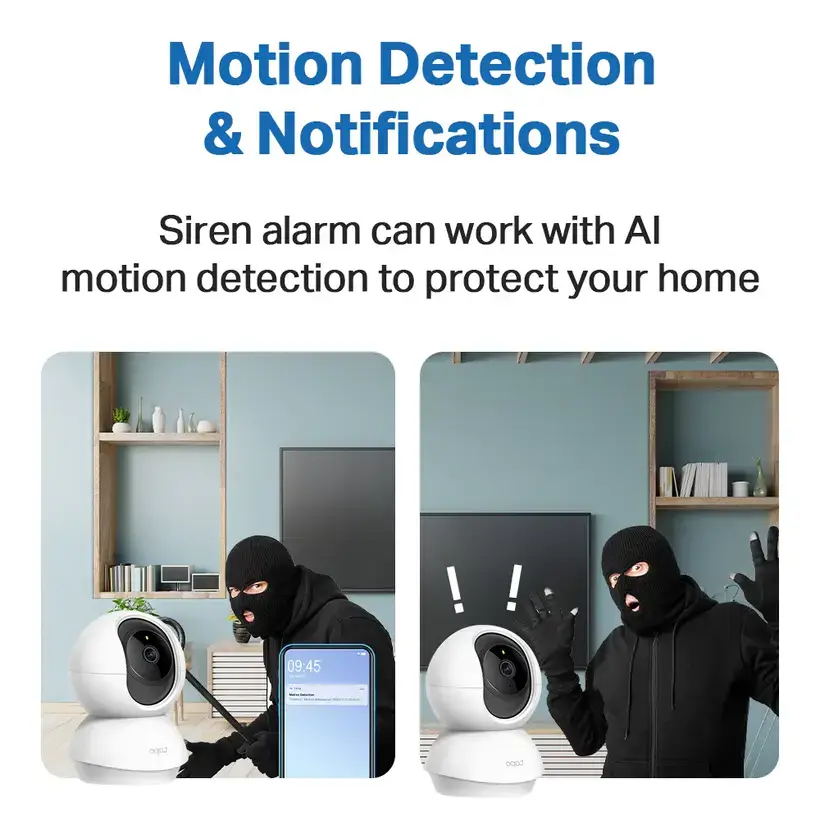
One of the standout features is AI-powered detection. It can detect people, which is great for reducing false alarms. No more getting notifications every time a leaf blows past your window or your dog walks by. It focuses on human movement. Even better, it has a dedicated baby crying detection feature. As a parent myself, I can tell you this is invaluable. The camera listens for the sound of a baby crying and sends you an immediate alert. It’s not foolproof—sometimes it might miss a faint whimper—but it’s far more reliable than generic motion alerts. And the best part? The AI runs locally on the camera. That means faster response times and better privacy. Your data doesn’t need to go to the cloud to be processed. It’s handled right there, in your home.
Customizable activity zones are another winner. You can draw virtual boundaries on the camera’s live feed to specify areas of interest. For example, you might want to monitor your front door but ignore the hallway. The camera will only trigger alerts if movement occurs within those designated zones. This level of control is fantastic. It prevents you from being bombarded with notifications for every little thing.
When motion is detected, the camera can engage its precise motion tracking feature. It automatically rotates the pan and tilt mechanisms to follow the moving subject, keeping it centered in the frame. I’ve tested this with my dog, and it’s surprisingly effective. He runs around, and the camera follows him smoothly. It’s not perfect—there’s a slight delay—but for a camera in this price range, it’s impressive. It adds a layer of automation that makes monitoring feel effortless.
Privacy is a big concern these days, and TP-Link has thought about it. The camera includes a Privacy Mode, which lets you instantly disable all functions via the app. No recording, no streaming. Just a dead camera. Perfect for when you’re home and want some peace. Privacy Zones allow you to block out specific parts of the video feed from being recorded. Maybe you don’t want your computer screen or a window facing your neighbor’s house to be visible. You can mask those areas. It’s a thoughtful touch.
For convenience, there’s a ‘Mark Position’ function. You can save specific camera angles so you can quickly recall them later. Want to check on your sleeping baby? One tap, and the camera swings to the saved position. Cruise modes let the camera automatically scan predefined areas, which is useful for general surveillance.
And let’s not forget the sound and light alarm. It’s a siren that reaches 93dB when measured at 10 cm. That’s loud. It can be triggered manually or automatically upon detecting motion. It’s not going to deter a seasoned burglar, but it might startle an intruder and give you time to react. Plus, it’s a great deterrent for curious kids or pets who shouldn’t be in certain areas.
Integration into smart home systems is seamless. The Tapo C200 works with Google Assistant and Amazon Alexa. You can say, “Hey Google, show me the kitchen camera,” and it’ll display the live feed on your smart display. It’s incredibly convenient. For tech-savvy users, it supports ONVIF and RTSP protocols, allowing integration with third-party NVR systems. This bridges the gap between consumer-grade and professional setups. If you’re building a more complex security system, this camera can fit right in.
Storage Showdown: MicroSD vs. Cloud Subscription
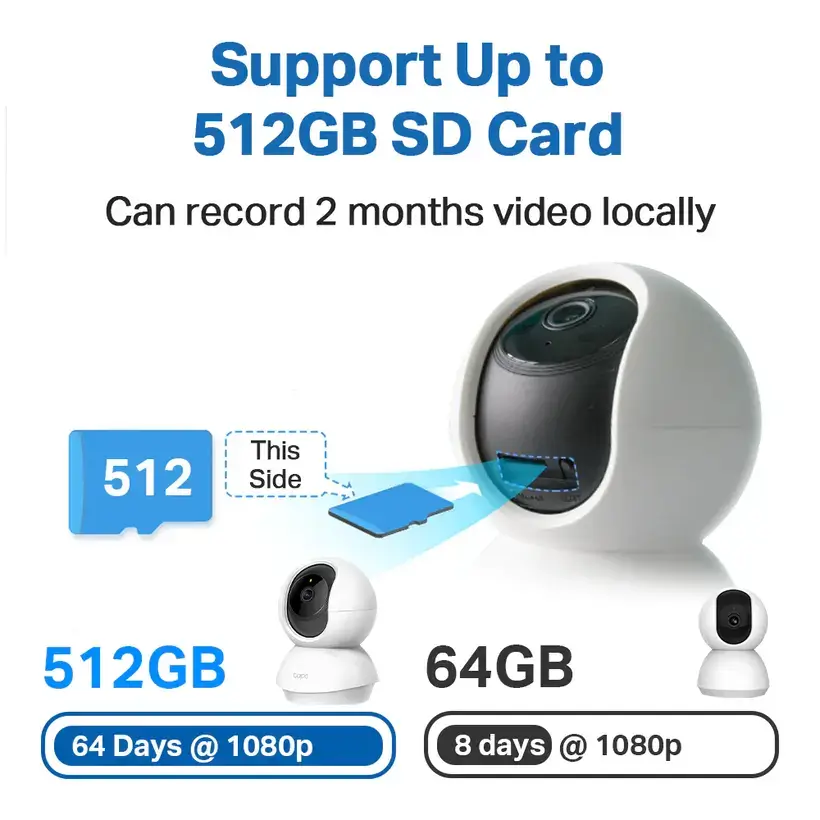
This is where things get interesting. The Tapo C200 offers two storage solutions: local storage via a microSD card and cloud storage through the Tapo Care subscription service. Each has its pros and cons, and the choice depends entirely on your needs.
Let’s start with local storage. The camera has a microSD card slot, and it supports cards up to 512GB. That’s a lot of space. Official documentation confirms this, resolving earlier confusion about a 128GB limit. Under lab conditions, a 128GB card can store up to 384 hours (16 days) of footage. Extrapolating, a 512GB card could hold up to 1536 hours (64 days). That’s a ton of recording time. The camera supports loop recording, which automatically overwrites the oldest footage when the card is full. No manual management needed.
However, there are caveats. Users have reported issues with formatting failures, cards becoming unrecognized, and counterfeit products. TP-Link advises formatting the card exclusively through the Tapo app and verifying authenticity with tools like H2testw. I’ve encountered this firsthand. I bought a cheap card, and it kept failing. Switched to a SanDisk High Endurance card, and it worked flawlessly. The key is to use high-quality, endurance-rated cards. Brands like SanDisk Extreme, SanDisk High Endurance, Samsung PRO Endurance, and Kingston Canvas Select Plus are recommended. Avoid Samsung EVO Plus and ADATA cards—they’re not supported.
Cloud storage, on the other hand, is provided by Tapo Care. It’s a paid subscription service. The primary advantage is convenience and advanced organization. Tapo Care stores event-triggered video clips, not continuous streams. It offers “Rich Notifications,” which deliver snapshots along with push alerts, helping you quickly assess the nature of an event. “Smart Sort” automatically organizes events into categories like “Person,” “Motion,” and “Baby Crying.” Subscribers also get weekly activity reports and video summaries. It’s a powerful tool for reviewing footage and finding specific incidents.
But here’s the catch: cloud storage is not designed for 24-hour continuous recording. That’s exclusive to local storage. Also, you need a stable internet connection for uploads. Weak Wi-Fi can cause partial video loss. And, of course, there’s the ongoing subscription fee.
So, which should you choose? If you want unlimited, cost-effective, and self-contained recording, go with a microSD card. If you prefer seamless, off-site backup with powerful organizational tools and don’t mind paying a monthly fee, Tapo Care is the way to go. I personally use both. I have a 512GB card for continuous recording and Tapo Care for event-based alerts. It’s the best of both worlds, though it does come at a higher cost.
| Feature Comparison | Local Storage (MicroSD Card) | Cloud Storage (Tapo Care Subscription) |
|---|---|---|
| Supported Capacity | Up to 512 GB (Officially Confirmed) | Not Applicable (Subscription-based) |
| Recording Type | Supports 24-hour continuous recording and event-triggered recording | Event-triggered recording only (not for continuous streams) |
| Cost Model | One-time purchase of the SD card (e.g., ₱500-₱1,500 for 512GB) | Recurring subscription fee |
| Key Features | Secure, offline storage; no monthly fees; loop recording | Rich notifications with snapshots; Smart Sort; weekly reports; video summaries |
| Accessibility | Requires downloading videos from the card or connecting the camera locally. | Accessible remotely via the Tapo app from anywhere with internet access |
| Data Security | Data resides on a physical card that can be lost or damaged. | Data is stored securely in the cloud, protected by TP-Link’s security protocols |
| Common Issues | Formatting failures, unsupported card types, risk of counterfeit cards | Weak Wi-Fi signal can cause partial video loss during upload; requires stable internet connection |
Connectivity, Power, and Physical Design: The Practical Stuff
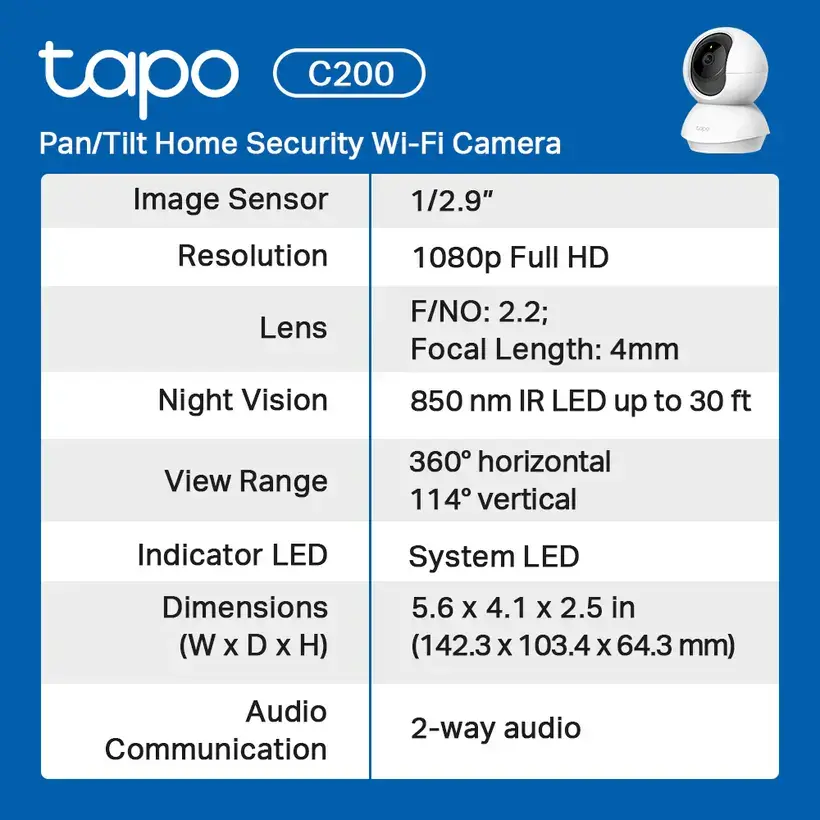
Let’s talk about the practicalities. The Tapo C200 connects via 2.4 GHz Wi-Fi only. It supports IEEE 802.11b/g/n standards, with a maximum wireless rate of 150 Mbps. This is a limitation. It doesn’t support the faster 5 GHz band, which could impact performance in homes with crowded wireless networks. If you live in a dense urban area, you might experience some lag or dropped connections. It’s something to consider, especially if you have a lot of devices on your network.
Security is robust. The camera uses WPA/WPA2-PSK authentication and 128-bit AES encryption with SSL/TLS protocols. Your data is protected. For integration with professional systems, it supports ONVIF and RTSP, as mentioned earlier. However, it lacks an Ethernet port. That means no wired connection for a more stable link. If you need rock-solid reliability, this might be a dealbreaker. For most users, Wi-Fi is sufficient.
Powering the camera is straightforward. It comes with a 9V DC power adapter. The adapter has an input of 100-240VAC at 50/60Hz and an output of 9V/0.6A. The camera’s typical power consumption is 2.0 W, with a maximum of 4.5 W. The 3-meter power cable provides flexibility in positioning. It’s designed for indoor use only and must be kept away from water, fire, and excessive humidity. Operating temperature is 0°C to 40°C (32°F to 104°F), with humidity tolerance between 10% and 90% RH (non-condensing). Storage temperature is wider, from -40°C to 70°C (-40°F to 158°F).
The camera is compact, measuring 3.4 x 3.3 x 4.6 inches (86.6 x 85 x 117.7 mm) and weighing 0.45 kg (about 1 pound). It’s finished in white, which blends well with most interiors. Installation is user-friendly. You can place it on a flat surface, or mount it on a wall or ceiling using the provided hardware. The setup process is guided by the Tapo mobile app for iOS (version 9.0+) or Android (version 4.4+). It’s intuitive and easy to follow.
The package contents are comprehensive: the camera unit, power adapter, quick start guide, mounting screws, mounting plate, and camera base. Regulatory certifications include FCC, IC, CE, NCC, and BSMI, confirming compliance with international safety standards. It’s manufactured in China by TP-Link Corporation Limited.
Market Landscape in the Philippines: Price, Availability, and User Sentiment

In the Philippine market, the Tapo C200 is a powerhouse. It’s priced competitively, with cash prices typically ranging from ₱920.00 to ₱1,099.00 on major e-commerce platforms like Lazada and Shopee. Some listings offer promotional discounts, bringing the price down further. For example, I’ve seen it drop from ₱1,699.00 to ₱1,040.00. This low price point makes it accessible to a wide range of consumers.
To enhance affordability, several retailers offer credit card installment plans. You can spread the cost over several months. For instance, you might pay as little as ₱383.33 per month for 3 months or ₱112.50 per month for 12 months, subject to minimum purchase requirements. This flexibility is a big plus for budget-conscious shoppers.
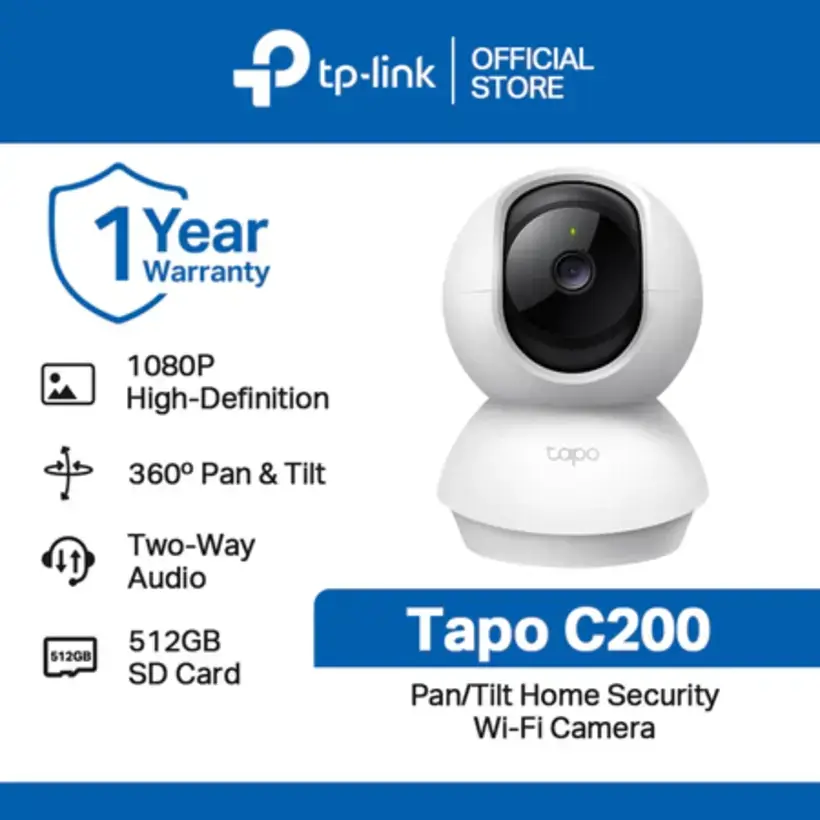
The camera is officially sold through authorized channels like the ‘Tapo by TP-Link’ stores on Shopee and Lazada. This ensures product authenticity and access to the full manufacturer’s warranty. Speaking of warranties, TP-Link typically provides a 1-year warranty on products purchased from authorized resellers. This covers manufacturing defects but excludes damage from physical causes, power surges, or unauthorized modifications. However, warranty terms can vary depending on the seller. Some local retailers offer shorter guarantees, such as a 7-day outright replacement or a 90-day warranty. It’s crucial to purchase from reputable sellers to secure the full manufacturer’s coverage.
User sentiment is overwhelmingly positive. On Lazada, one listing boasts an average rating of 4.9 out of 5 stars based on 1,881 reviews. Common praise highlights attributes like “clear camera,” “easy to install,” “nice performance,” and “highly recommended.” Specific reviewer comments frequently mention crystal-clear video quality, fast delivery times, and satisfaction with the camera’s core functionalities, including its night vision and pan/tilt capabilities. This strong reputation is a testament to the product’s reliability and value proposition.
The setup process is generally straightforward, thanks to the intuitive Tapo app. However, some users have reported initial setup challenges related to firmware issues. One verified buyer mentioned experiencing problems that required intervention from customer support. This indicates that while the process is mostly smooth, occasional software-related hiccups can occur. It’s something to keep in mind, especially if you’re not tech-savvy.
Availability is widespread. The product is stocked on major e-commerce sites and physical retail locations in cities like Cagayan De Oro City and Metro Manila. Estimated delivery times are often within a few business days. This accessibility makes it easy for anyone to get their hands on a Tapo C200.
The Verdict: Who Should Buy the TP-Link Tapo C200?
After all this, you’re probably wondering: is the Tapo C200 right for you? Here’s my take.
If you’re looking for an affordable, versatile, and feature-rich indoor security camera, the Tapo C200 is an excellent choice. Its pan/tilt functionality, 1080p resolution, and robust night vision make it suitable for general home monitoring, pet watching, and infant care. The AI-powered detection features add a layer of intelligence that enhances its utility. The ability to integrate with smart home systems and support for local and cloud storage gives you flexibility in how you use it.
It’s not without its flaws. The 2.4 GHz-only Wi-Fi connectivity might be a limitation in crowded networks. The lack of an Ethernet port means no wired connection for added stability. And while the setup is generally easy, occasional firmware issues can arise. But these are minor quibbles in the grand scheme of things.
Who should buy it? Parents who want to keep an eye on their babies. Pet owners who want to monitor their furry friends. Homeowners who need a basic security solution without breaking the bank. Tech enthusiasts who appreciate smart home integration. Basically, anyone who wants a reliable, intelligent camera that does the job without fuss.
The Tapo C200 is a product whose strengths lie in its versatility, affordability, and feature set. It successfully balances essential security functions with smart home integration and thoughtful privacy controls. It’s not the most advanced camera on the market, but for the price, it’s hard to beat. It’s a testament to TP-Link’s ability to deliver value without compromising on quality.
So, if you’re in the market for a security camera, give the Tapo C200 a serious look. It might just be the perfect fit for your home.